 Sean Hignett
I’ll admit I am somewhat late to the party.
While the mainstream LLM offerings have been useful since they emerged, in recent months their utility has become integral to day to day life, and setting up a proper agentic tooling workflow seems a core requirement to doing hands on technical work efficiently.
But I do hate those monthly plans.
It was comments made by Linus Torvalds that first got me truly interested in the underlying technology.
While everyone was melodramatically hand wringing and cooking up bans for LLM generated code in the linux kernel and elsewhere, Linus responded with a refreshingly sensible and mature opinion on the matter:
LLM is just a tool.
To paraphrase: it doesn’t matter what tools are used to produce the kernel code, it has to be reviewed, understood and approved, like any other code, and so the entire debate is nonsense.
It is always a treat when Linus steps in and improves the signal to noise ratio.
When you strip away the hype and misplaced anthropomorphization, LLM technology does offer very powerful and interesting tooling.
Just don’t get too emotionally involved… they aren’t thinking. They are weighted probability models at scale.
So for the past few weeks I’ve been doing a deep dive, and of course it started with a server build…
The LLM Server
Ordered an
RTX 5060 Ti w/ 16GBas it was the only GPU with a decent amount of VRAM under $1000. Three days after I ordered it that changed, and they are now over $1100.Fired up the old
i7-7700, leveraging108 GBof DDR4, as DDR5 prices make the latest architecture fiscally unsound. Installed Proxmox VE as the virtualization host and configuredGPU Passthroughvia PCI sharing. Bound the GPU to the VM using raw mode. Verified it was detected withnvidia-smiin the VM.
CPU doesn’t really matter. Go figure. The i7 did fine up until the compile.
Started with
ollamaand it was a pleasure to work with. Tried numerous models of various sizes, but even heavily quantized, none could really achieve thereasoningrequired to be useful.Initially started with Continue and it worked fairly well with a lot of the smaller models.
Claude CodeandOpen Codedid not, and the experience was revealing to just how much bloated prompting goes on in those agentic platforms. Many of the smaller models would hallucinate due to the overwhelming pre-prompting and context.
I’d rather use LLM to help me maintain the now deprecated Continue codebase than tolerate the inherent bloat and commercial bias of the other so called “open tools”. So I forked it.
- Sticking with
cn, I wanted to get the most out of the hardware and experimented with:
- Found
vLLMandSGLangto be disorganized piles of Python code. They were not for me.
Still hating Python.
The mlxcel project is worth watching. The MLX format really performs on Apple Silicon, and oMLX is very polished. However, on Linux mlxcel is Unlikely to outperform llama.cpp any time soon.
After much work and evaluation of a few dozen models
ChatGPT and Idecided that the best way to get the most of the GPU was to compile upllama.cppwith Blackwell support to runNVFP4compressed models such that a 16GB card could run a27B Qwenmodel effectively.With ChatGPTs help it was easy to sort out the dependencies and compile to the correct NVidia toolkit and drivers to get Blackwell support. The compile just about killed the poor old
i7, and although she did it… time for an upgrade.The online LLMs suggested that the fastest DDR4 supporting processor would be in the AMD 5000 series and that to run two GPUs together an
X570smotherboard with a good PCIe layout would be the best bet. The ones they suggested were about $600, and a decent AMD 5800XT runs around $300…Too much to spend on a motherboard: Kijiji search… got a hit. Offer. sold.
- $79 case at memory express (Coolermaster Qube 540, amazing price)
- $300 to Kijiji seller for an AMD5800X and Asus Tuf x570s Gaming motherboard.
- $45 to Amazon for a Thermaltake Peerless Assassin CPU Cooler
- $14 for a case fan
Re-used:
- 512 GB SSD
- 1 TB M.2 NVME
- *64GB DDR4 Ram
- Corsair RM850x PSU
Don’t try this with a Mac Studio… there are no upgrades with Apple, only leases.
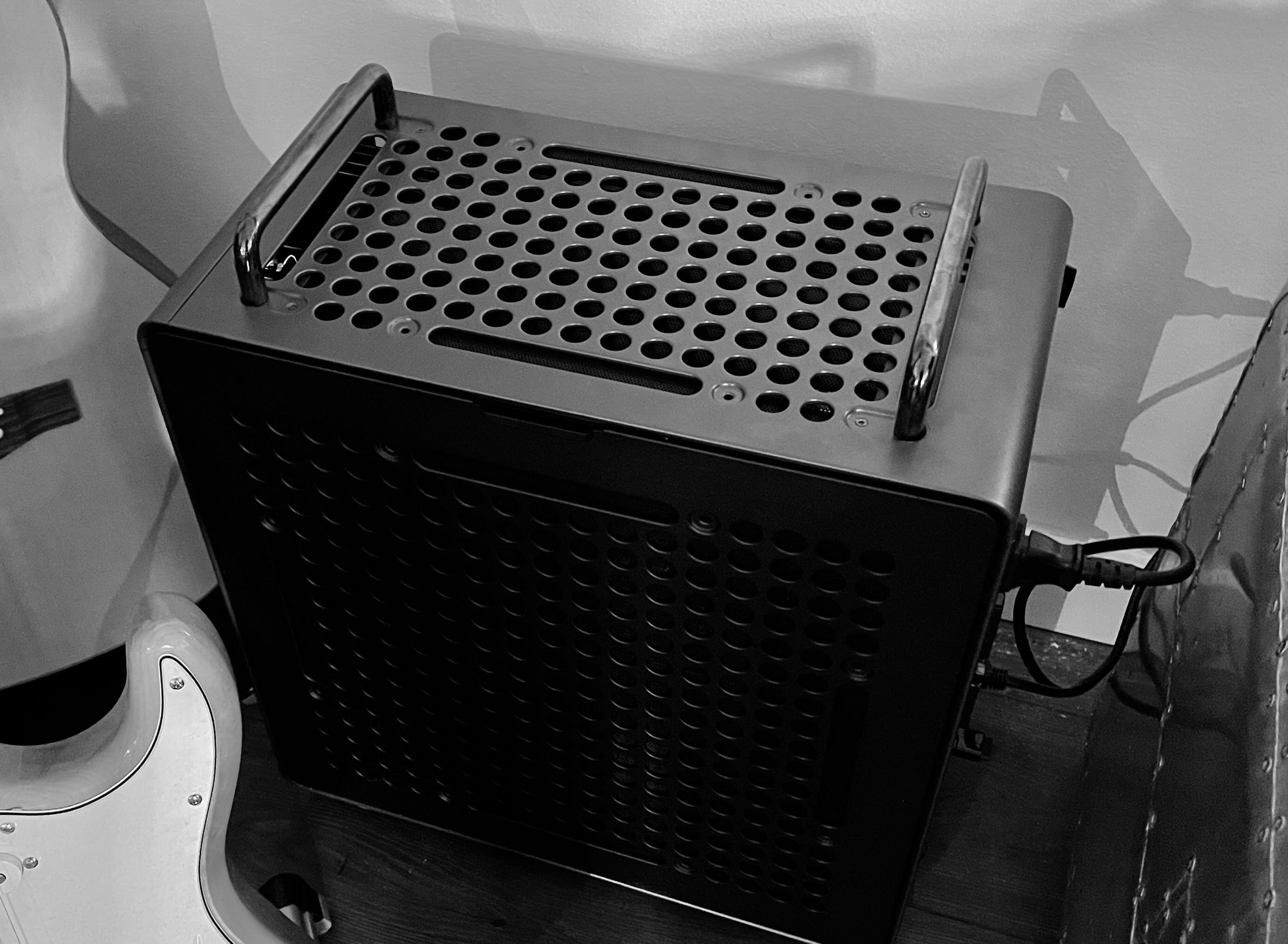
The all steel Qube 540 is a steal for sure at $79. Sort of looks like a guitar amp.
- Buying a Motherboard and CPU used, not ideal. And the fellow had just tossed it in the box with the accesories on top. But it was a risk that saved a bundle.
Apparently ASUS uses military grade components in their motherboards.
Got home, did the install… and it worked. ChatGPT helped. Saved days of scouring technical docs and forums. The system works perfectly. When asked a question, the fans fire up, and the CPU is not used, while the GPU hums (but that took some tweaking)…
Removing -ngl specification from the llama-server stopped CPU offloading, which was the first issue. The AMD cooked while the GPU was idle. But after removing the -ngl the GPU took the load and this resulted in 12 t/s performance. Through experimentation we found that removing:
  --spec-type draft-mtp \
  --spec-draft-n-max 3 \
Made the difference and performance jumped to 25 t/s, which is the running average.
By ChatGPT’s calculation that is about the best performance we could achieve on a 27B model on this hardware, so thus ended the tweaking.
And the thermals are perfect throughout the load. sensors on the Proxmox VE host show the CPU cooler is working, as the fans all read > 1000 rpm under load. CPUs remain cool. nvidia-smi shows the GPU VRAM fully allocated and the GPU usage high under load.
- The
llm-1is operational. Under $1500, including GPU. TheAMD 5800Xis a refreshing 3x faster then thei7-7700, with 8 cores and 16 vCPU it is a brand new server.
It runs:
- ComfyUI - This app uses LLM and GPU to perform amazing content creation workflows. Stable diffusion on steriods. It does text-to-image (SD and more), image-to-3D-model, text-to-video. It is amazing.
- F5-TTS - A text to speech engine that rivals the commercial
ElevenLabs, you can provide the engine 12 seconds of a reference voice and it will generate audio from text in that voice. - llama.cpp - compiled with the
Blackwellarchitecture support I can now run a very capableQwen 3.6 27B NVFP4model that produces excellent results at25 t/sthat rival the quality of the massive cloud LLMs.
But it can only run one of those services at a time, as each wants all of the GPU.
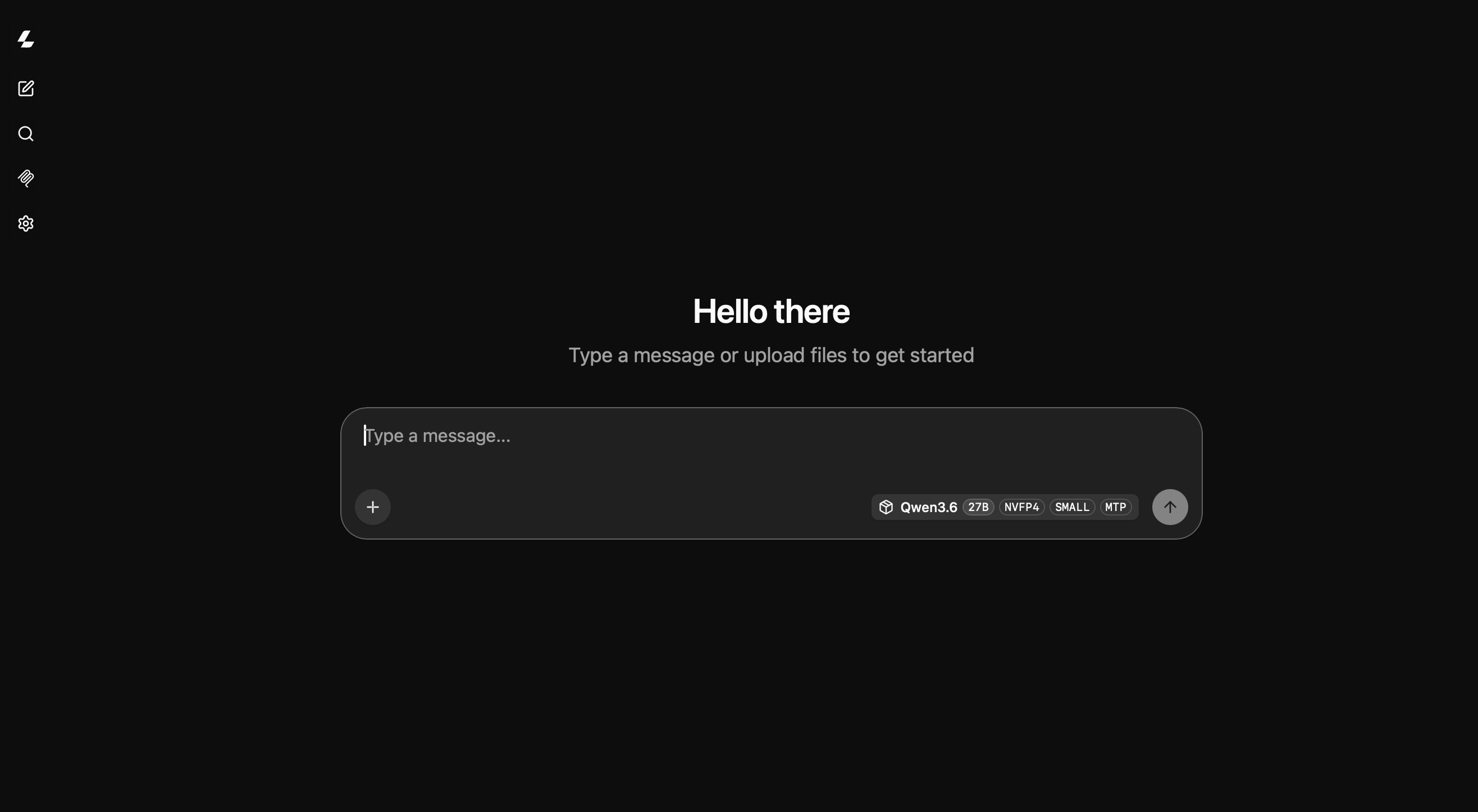
I tossed out Open WebUI and LibreChat WebUI as they aren’t needed, llama.cpp has a beautifully minimal built in chat interface that is good enough for as much as you would need it.
And I ended up hosting a simple monitoring dashboard on an adjacent port.
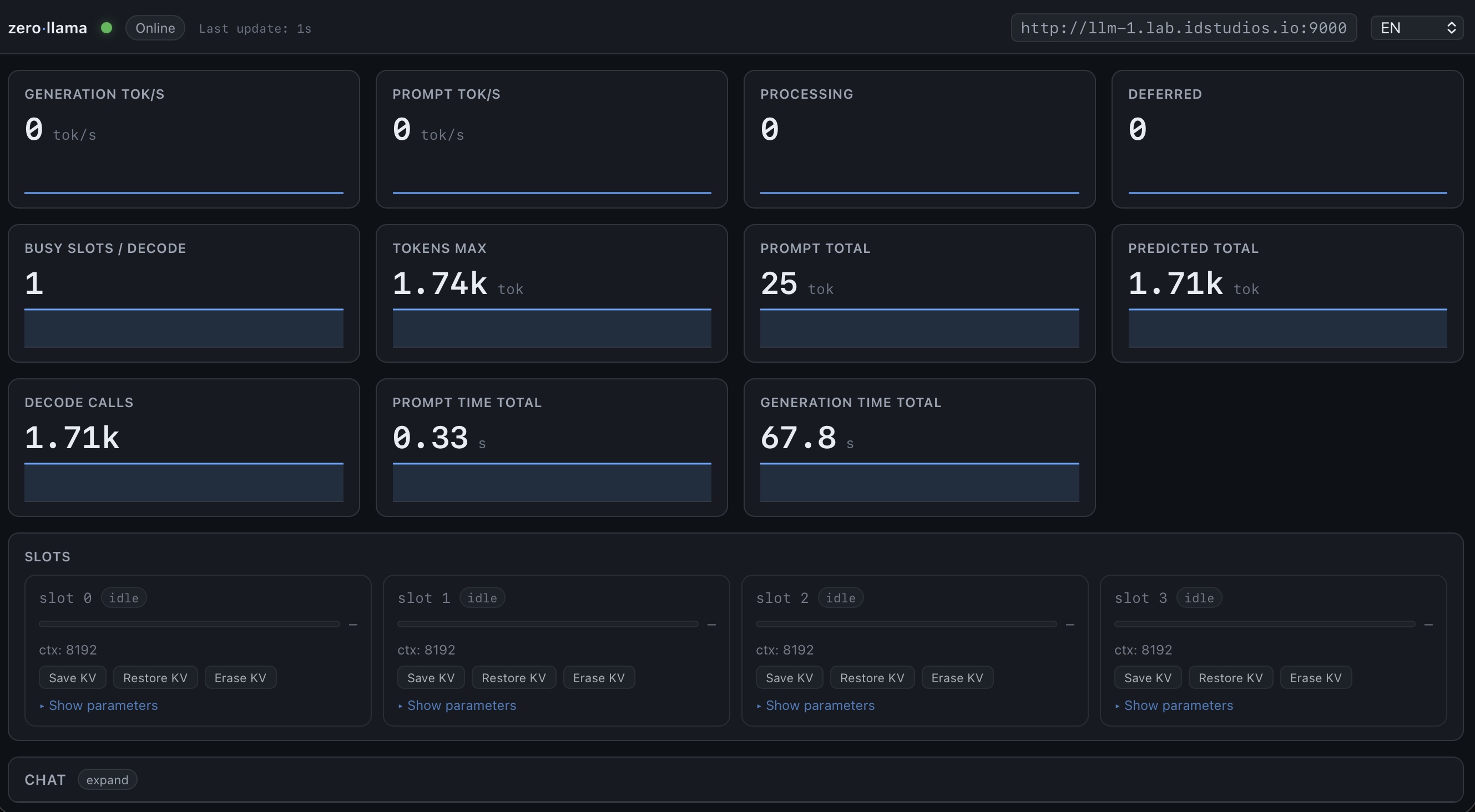
A functional and frugal little LLM lab.
My wife’s Mac Studio runs a similar MLX based Qwen 27B in oMLX and it averages 22 t/s. It would cost nearly $5k today.
To give you an example of the sort of fun you can have with ComfyUI…
I used the text-to-image workflow to ask Flux to generate an old style hot air balloon.

I fed that image into the image-to-3D-model and generated a GLB file from the image that loaded as a 3D model in ComfyUI, a 3D model of a pirate character.
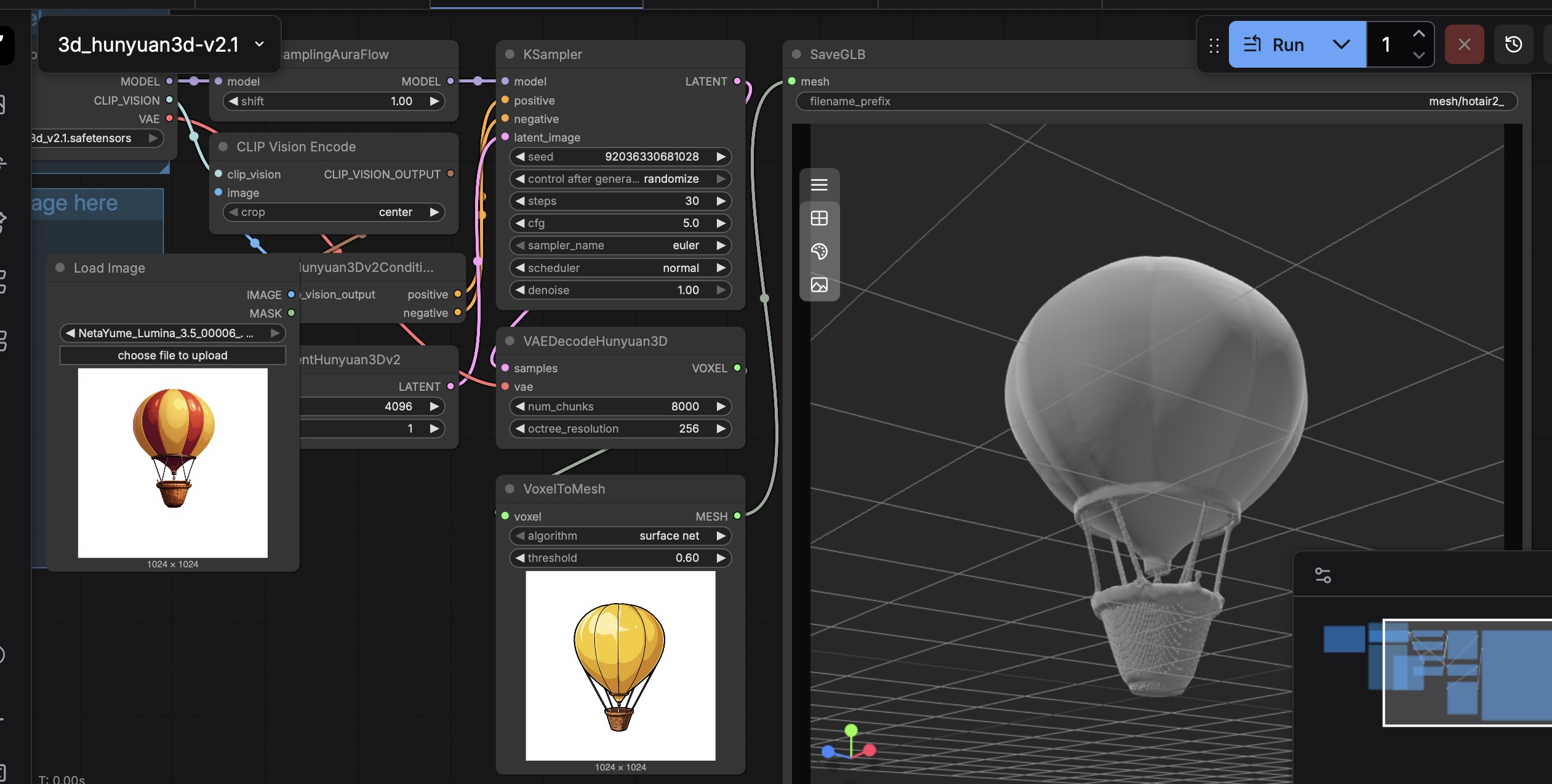
The generated GLB file was able to be loaded in Blender.
Overall it is some pretty amazing tooling.